


Base Finder
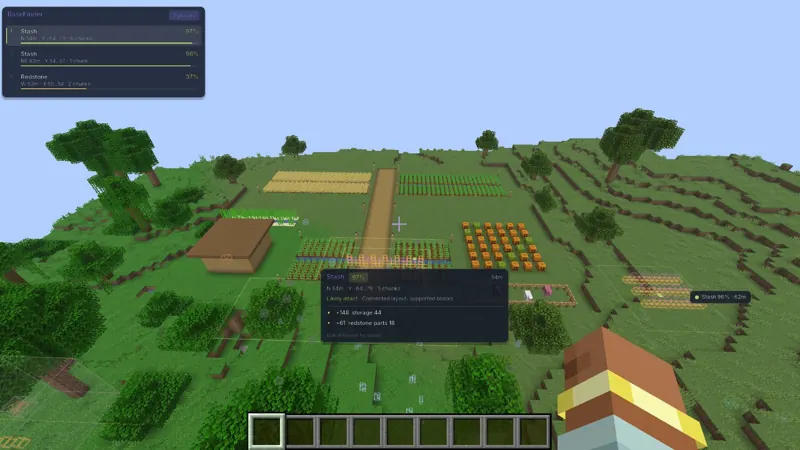
Scores every loaded chunk for player-made blocks and ranks the best leads. One key, F8.
A DonutSMP base hunting client.
Is it safe? What it sends, and how to check the file
How it works
Vantage only looks at what the server already sends your game: blocks, sounds, light, entities.
Every chunk gets points for player-made things: storage, beacons, dug tunnels, grown crops.
The best chunks show up as marks in the world and in a ranked list with distance and confidence.
Hints, not guarantees: you still go and look. How a hunt goes, step by step.
Features
Scores every loaded chunk for player-made blocks and ranks the best leads. One key, F8.

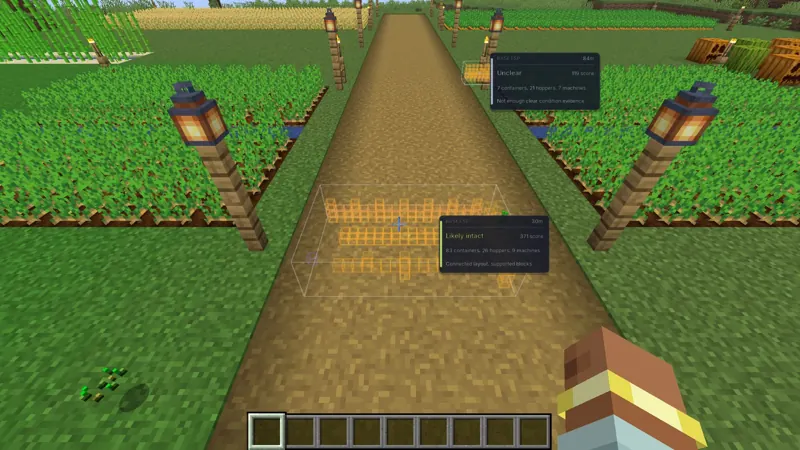
Boxes groups of chests and hoppers through walls, with container counts and a score.

Listens to the sounds the server sends you and names what is hidden nearby: farms, storage and players nobody can see.

Pings chunks packed with chests and shulkers and saves them per server.

Hold G for /rtp, /home, /ah and your favourite modules in one radial menu.

Export your whole setup as a code. A friend pastes it and has the same settings.
Video
Opens on YouTube. Filmed in a demo world, not on DonutSMP.
Gallery
Real screenshots from the client, taken in a demo world, not on DonutSMP. Click one to zoom.
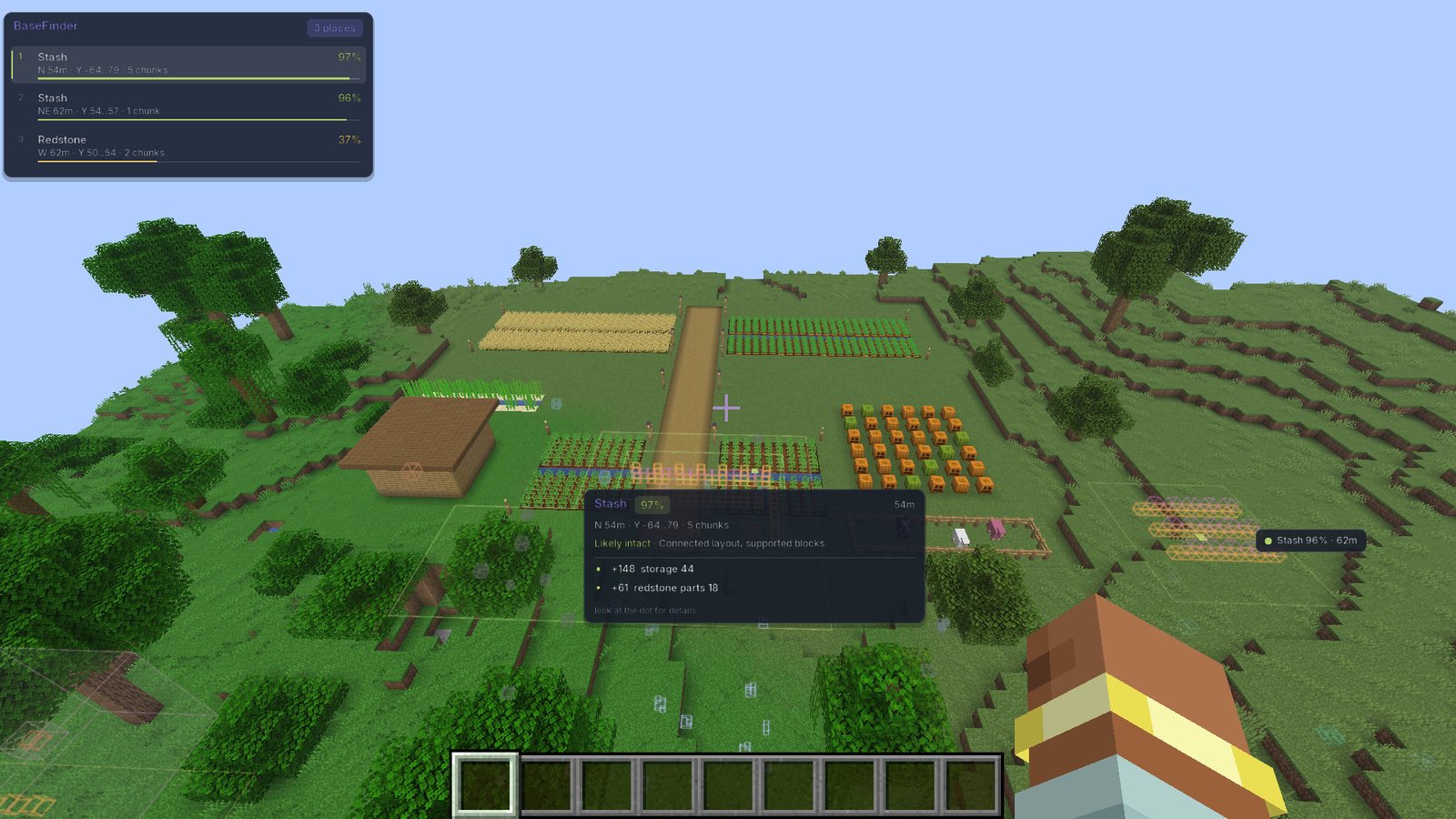 Base Finder: flagged chunks and the ranked list of places
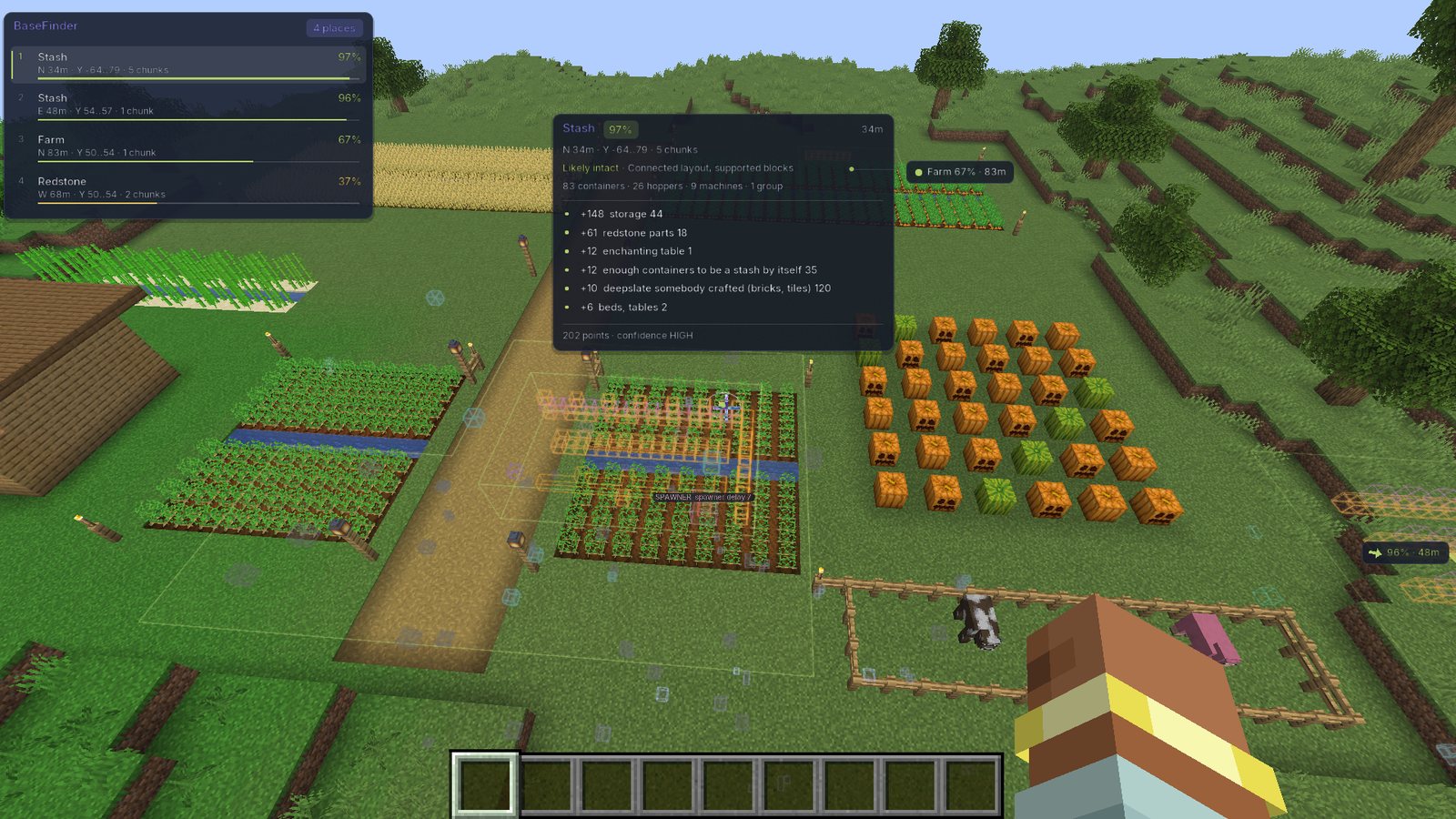 Base Finder: why a chunk scored 97%
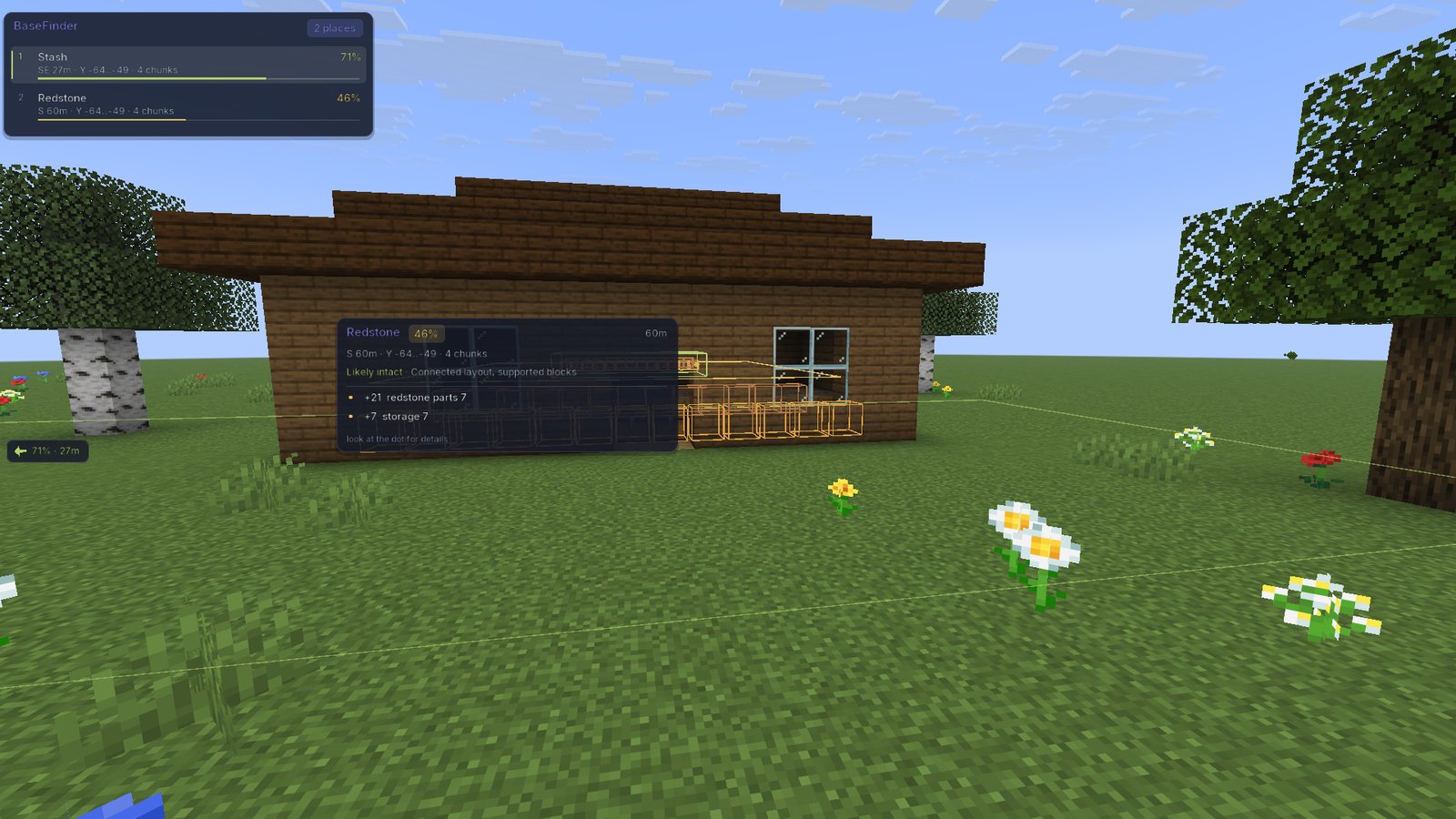 Base Finder: a cabin with redstone and storage, flagged from outside
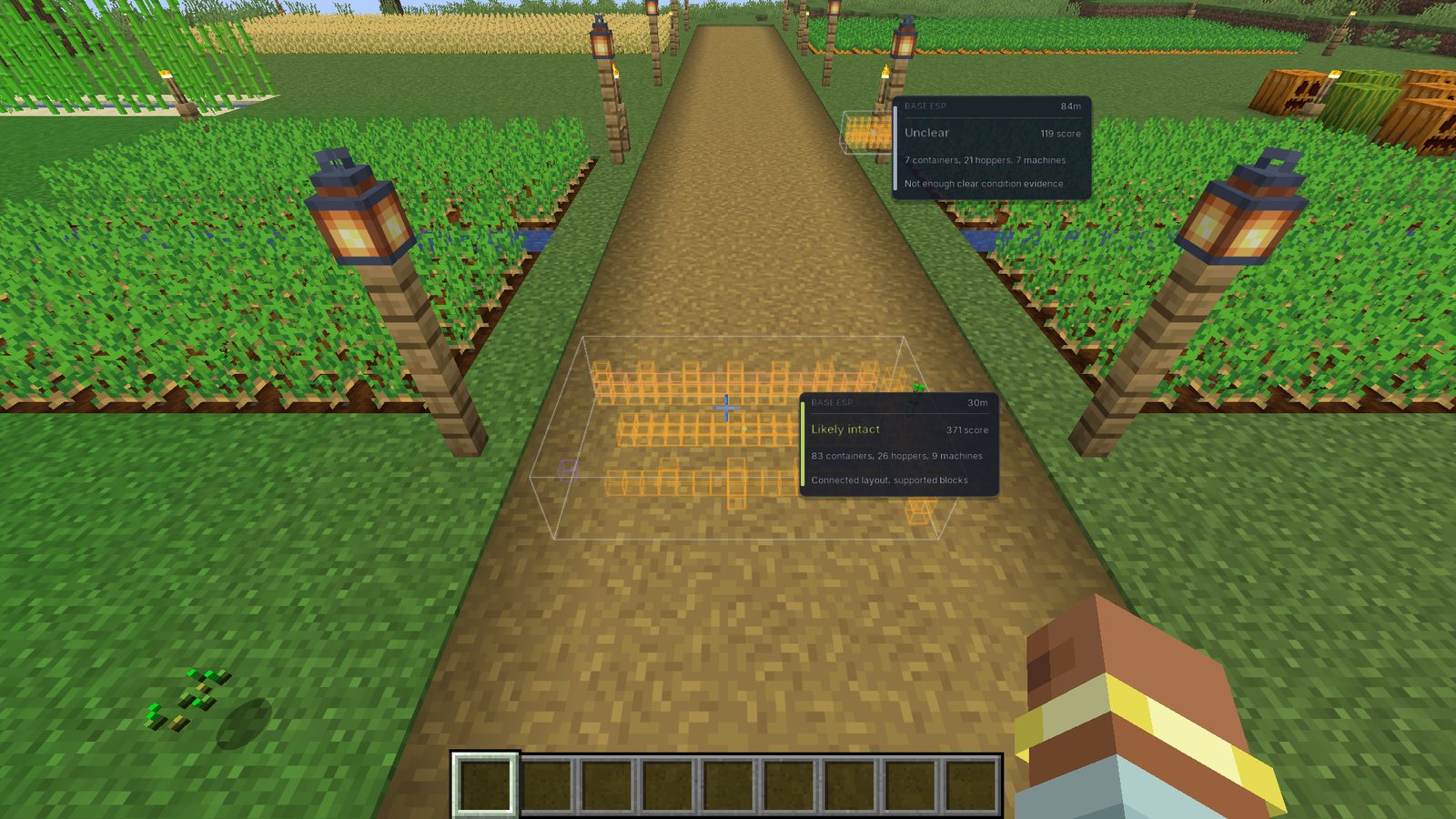 Base ESP + Storage ESP: a hidden base outlined through the ground
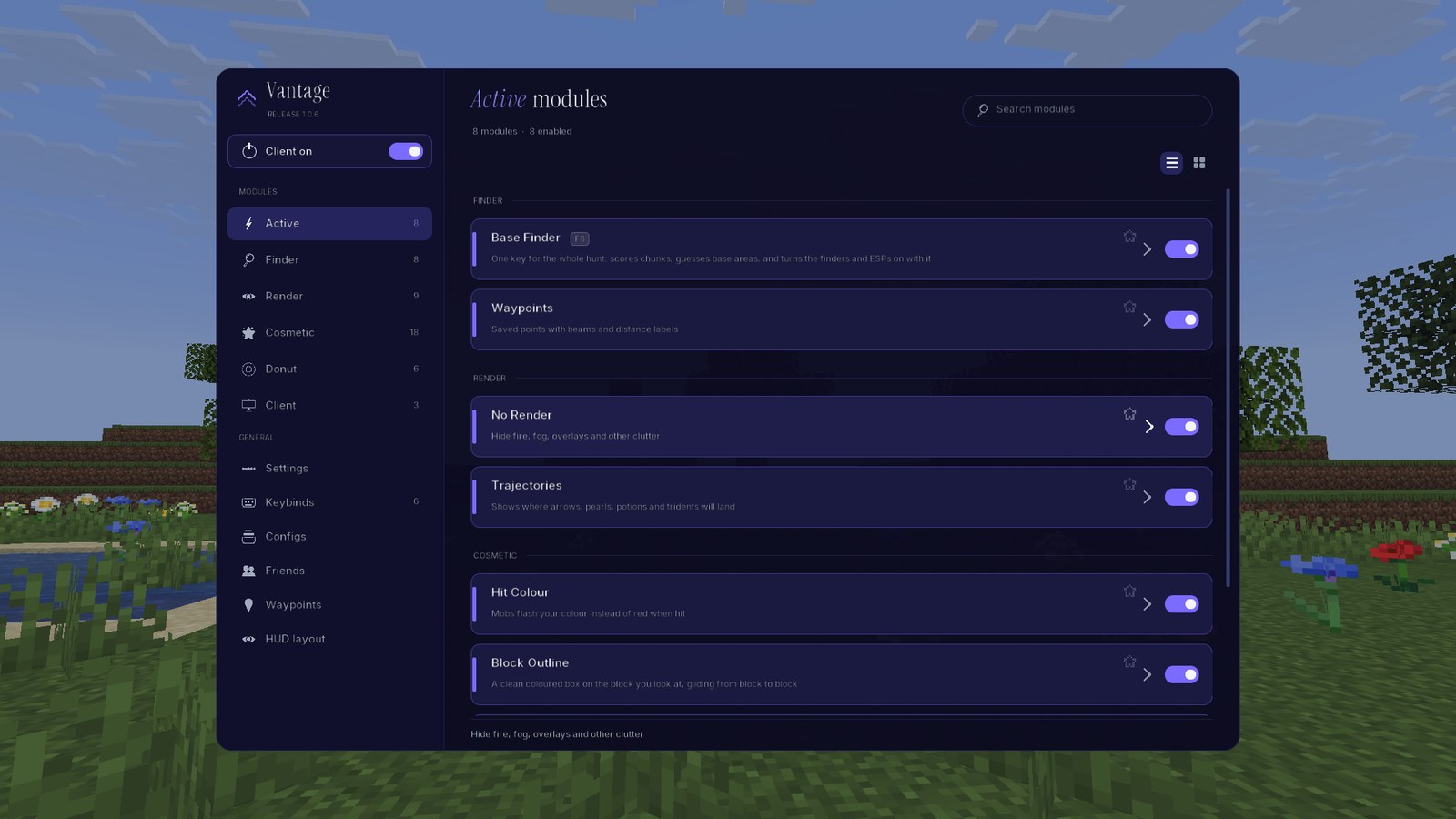
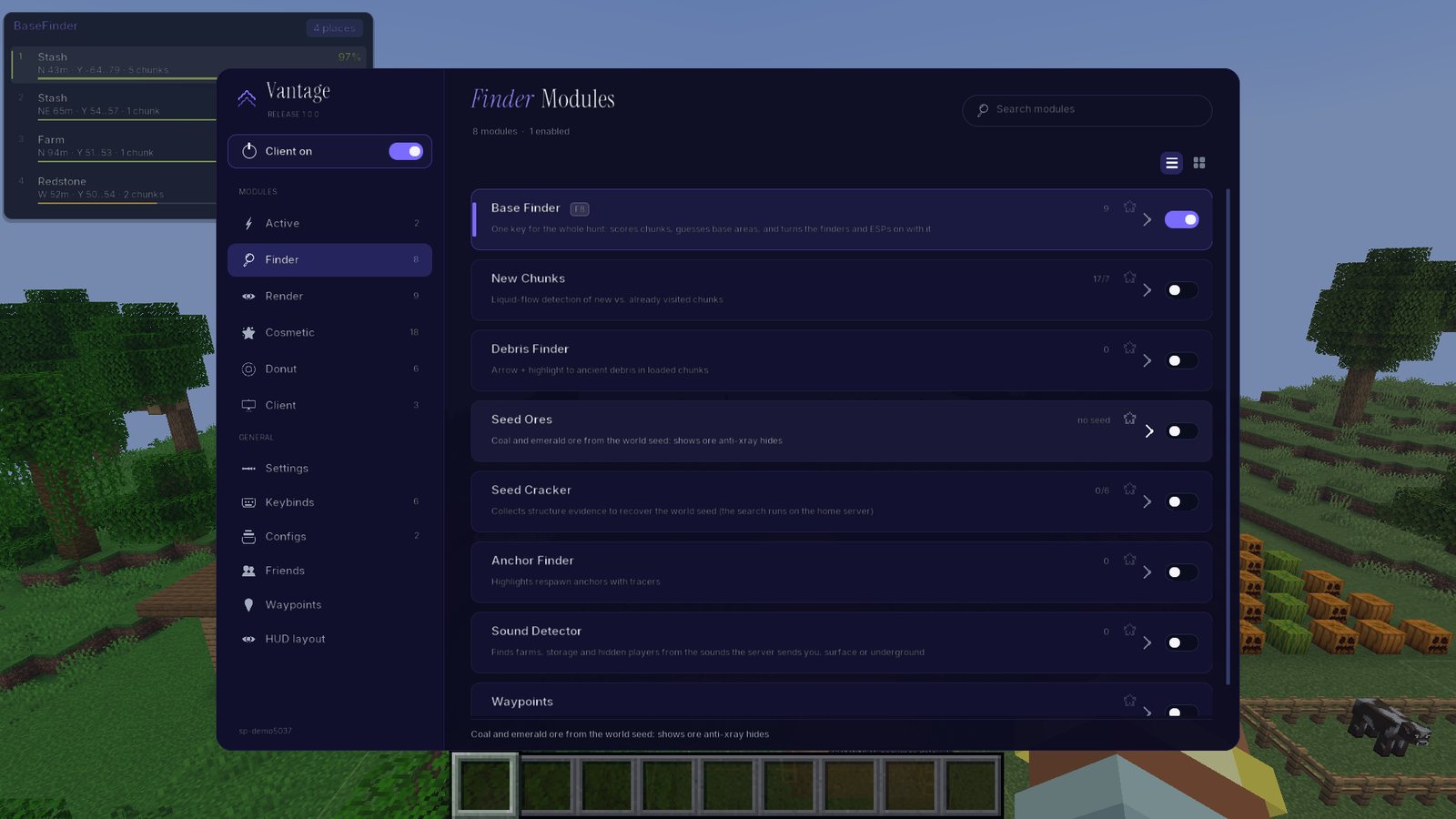 The menu, Finder tab
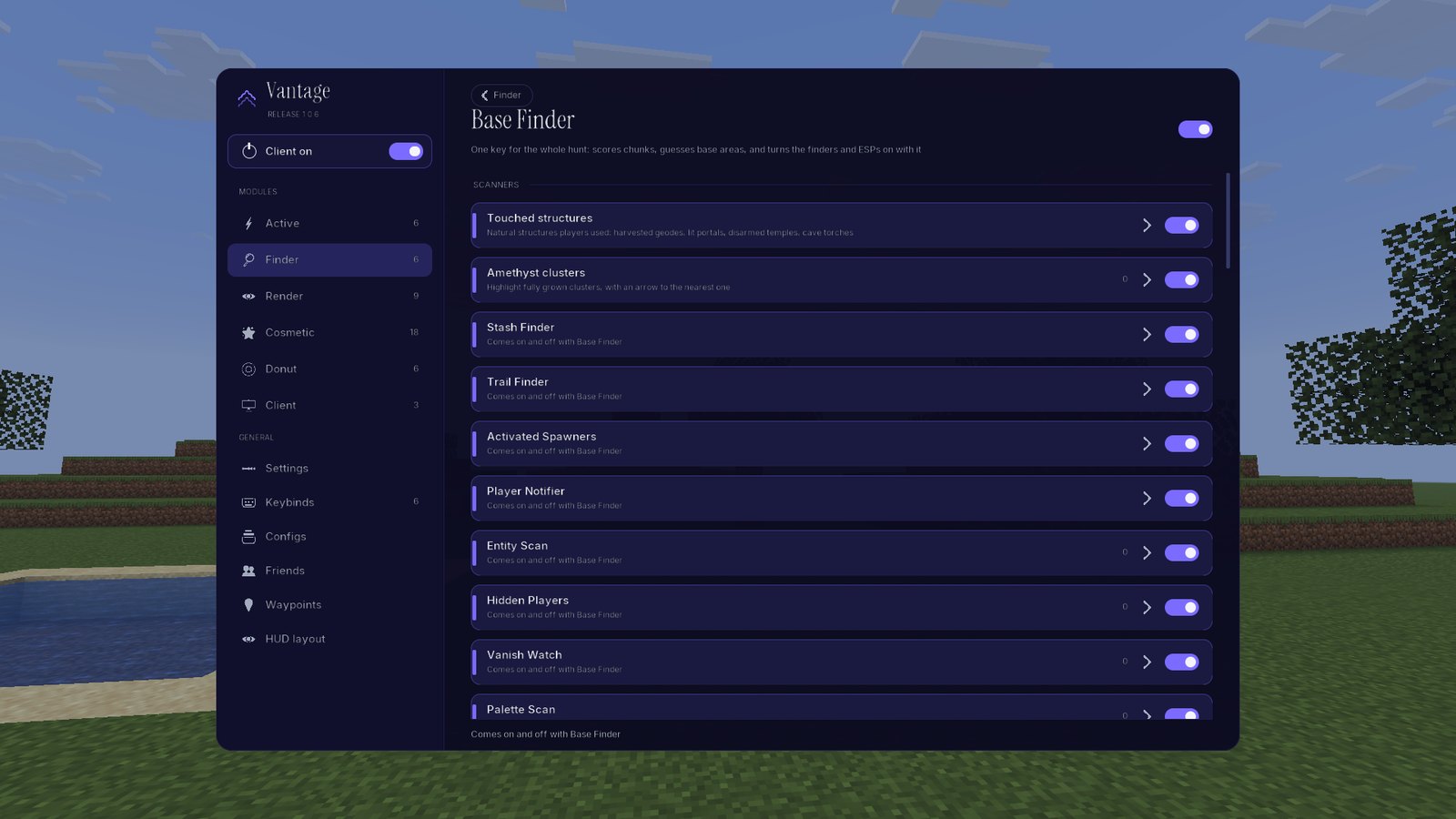 Base Finder settings: every scanner is a switch
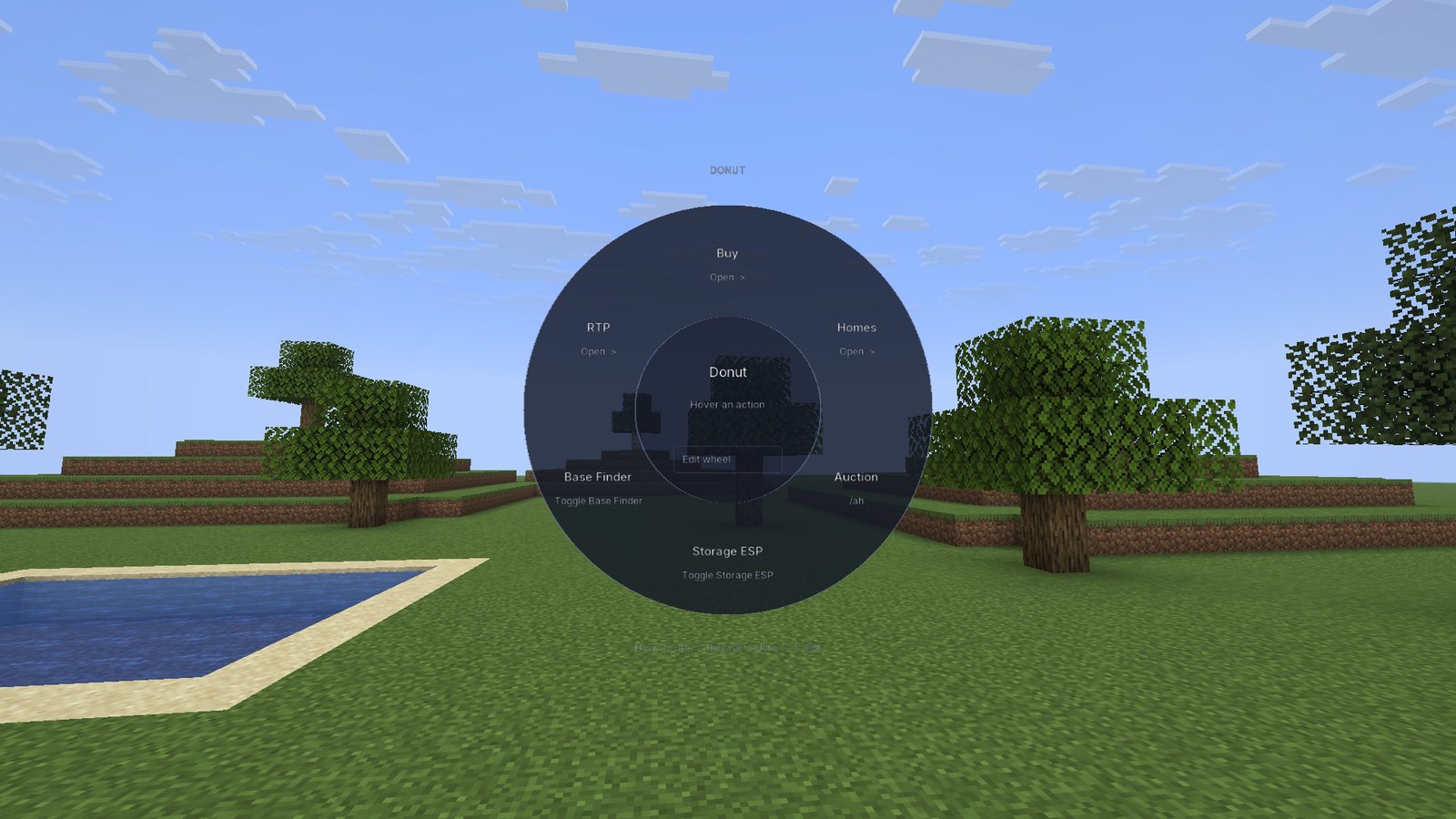 Donut Wheel: quick commands on one key
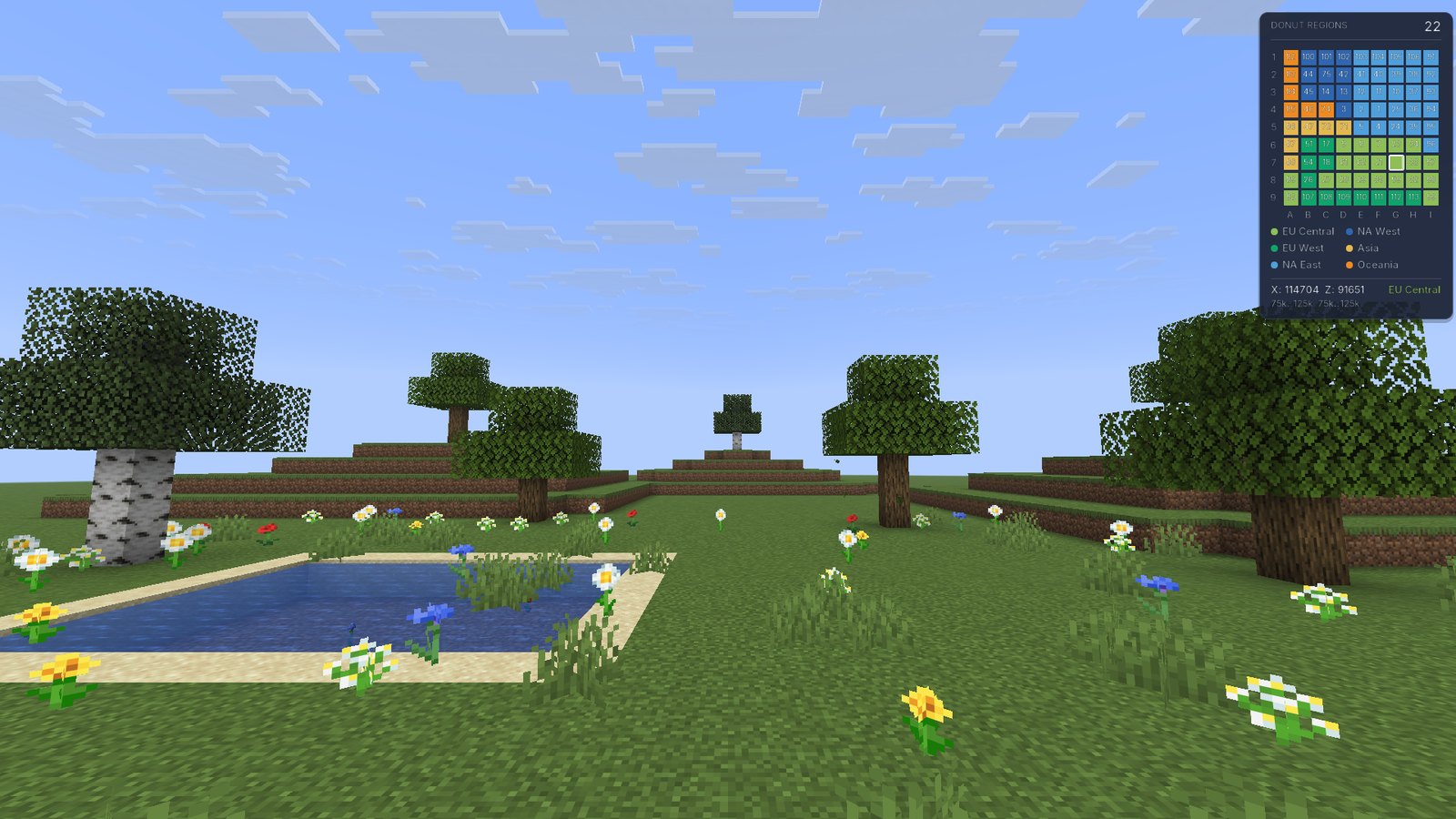 Region Map: Donut's 9x9 grid
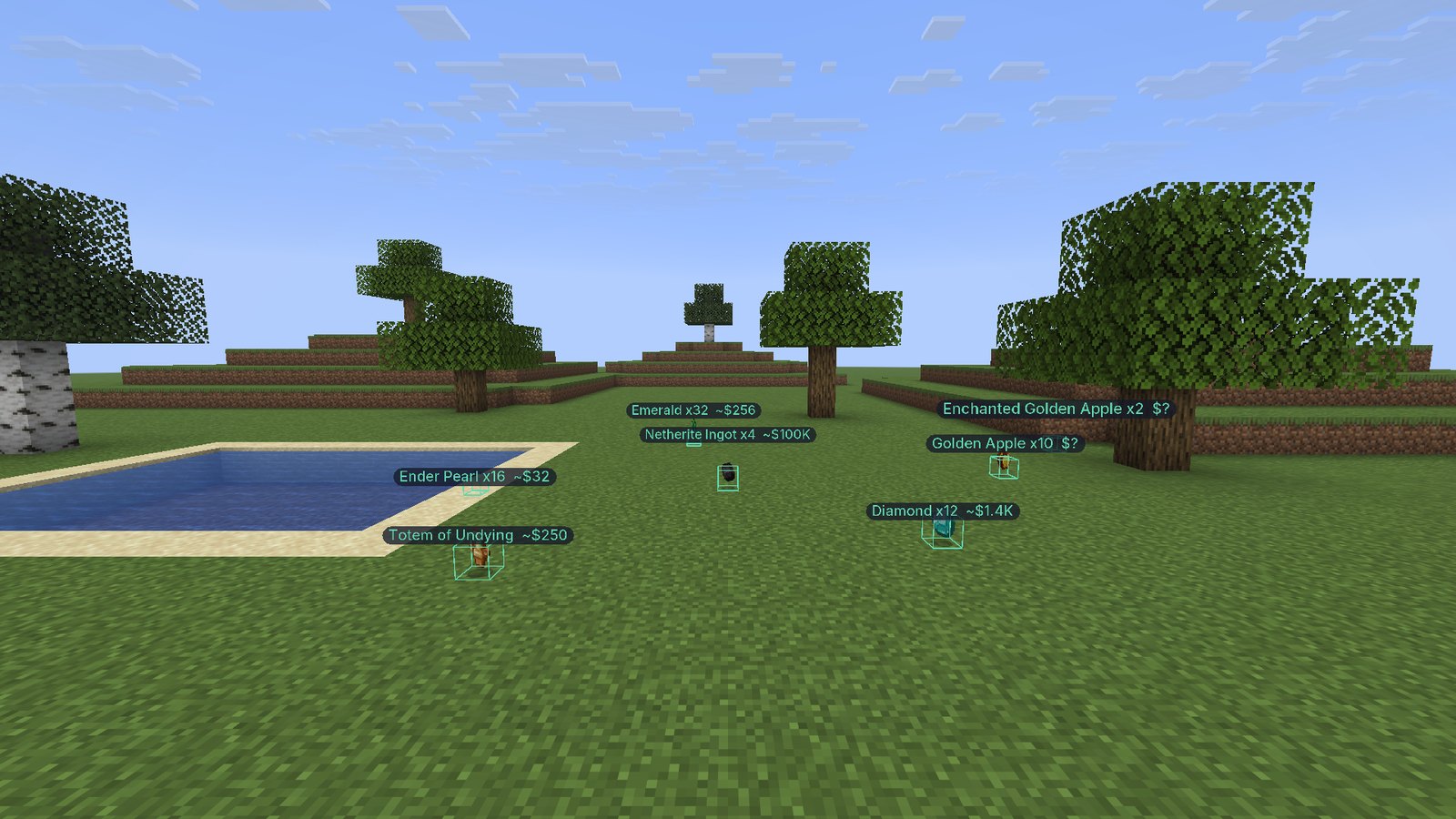 Item ESP: dropped items with their /sell value
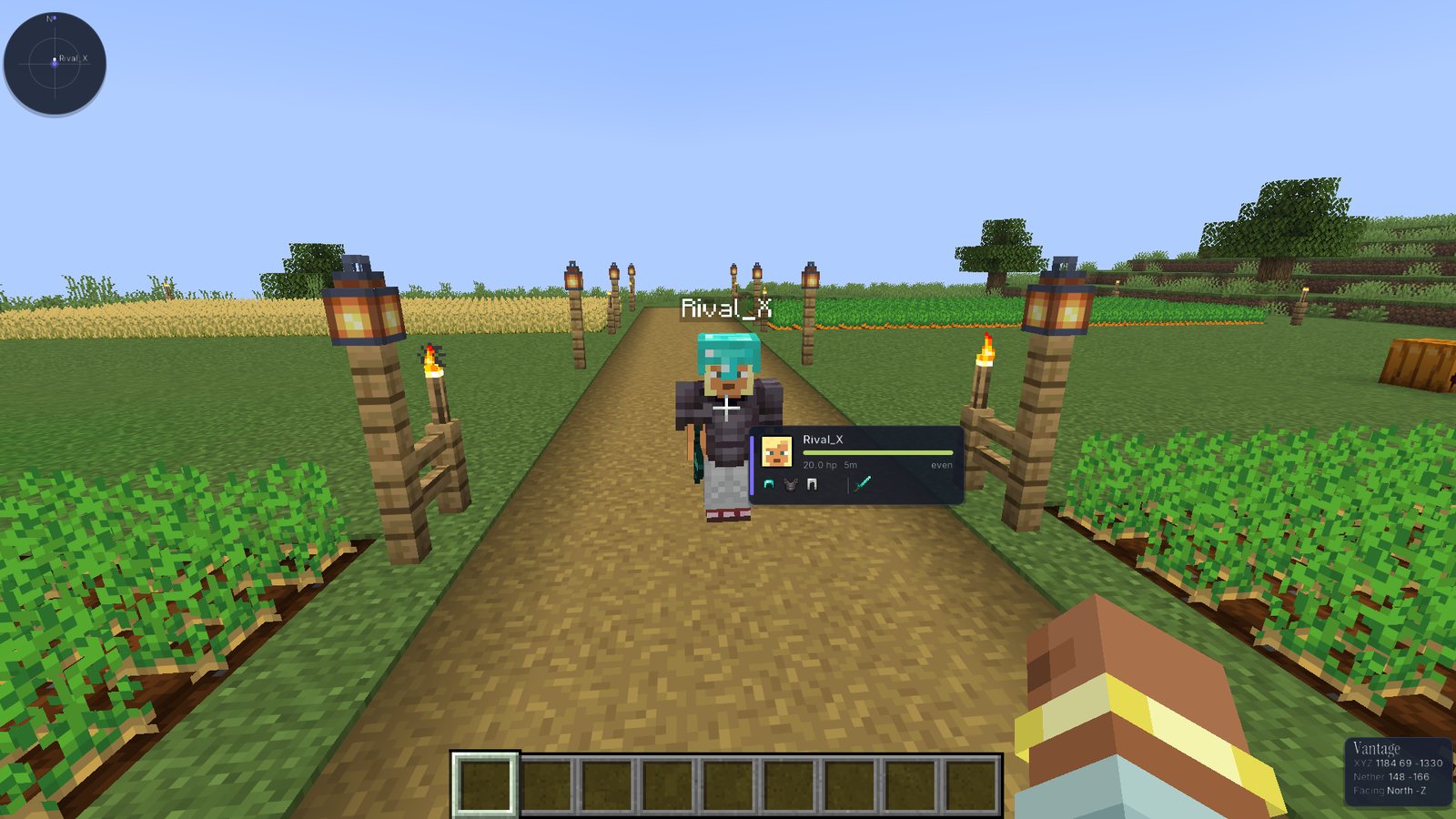 Target HUD and Radar, shown on a test dummy
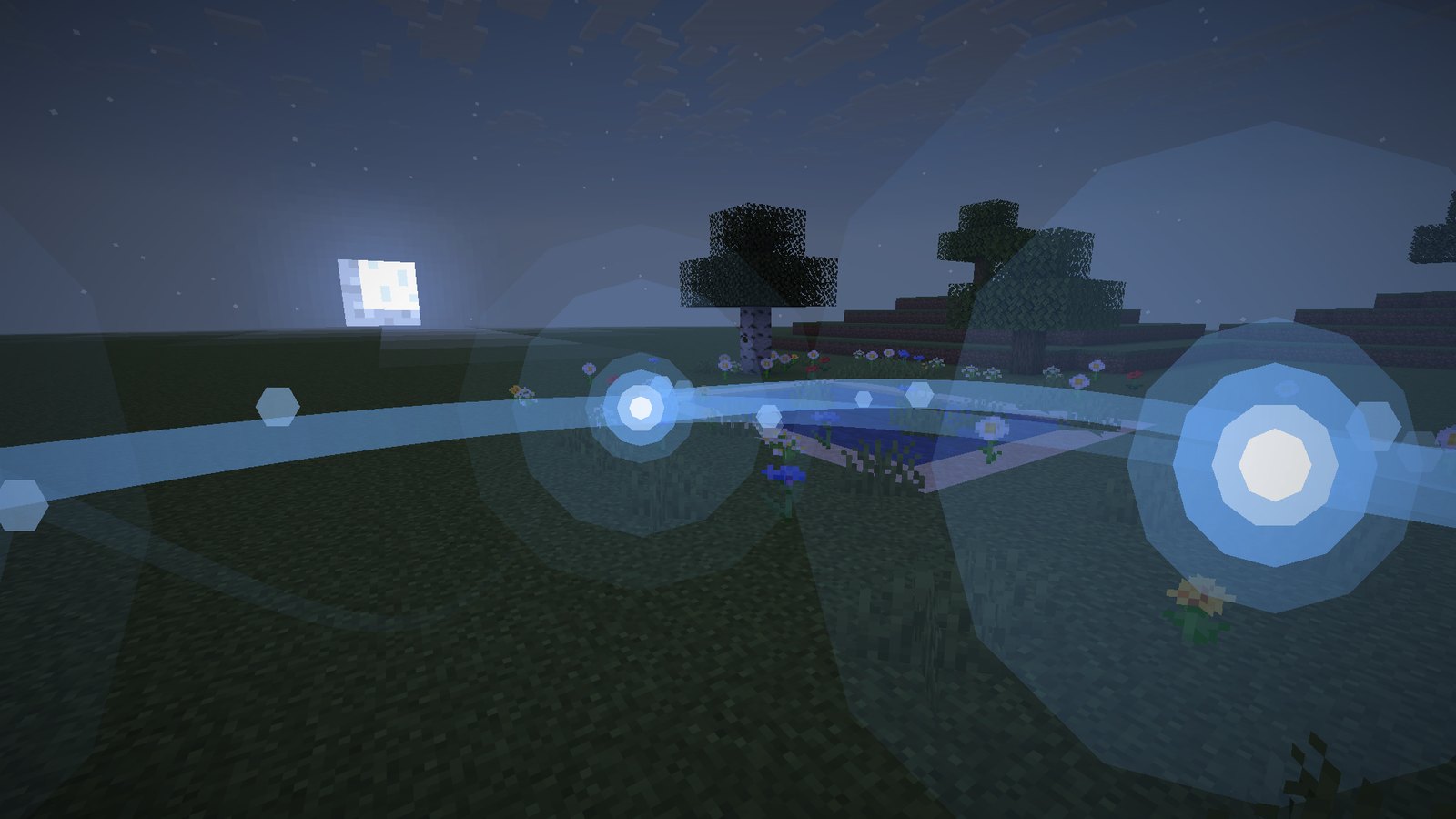 Cosmetics: Orbs
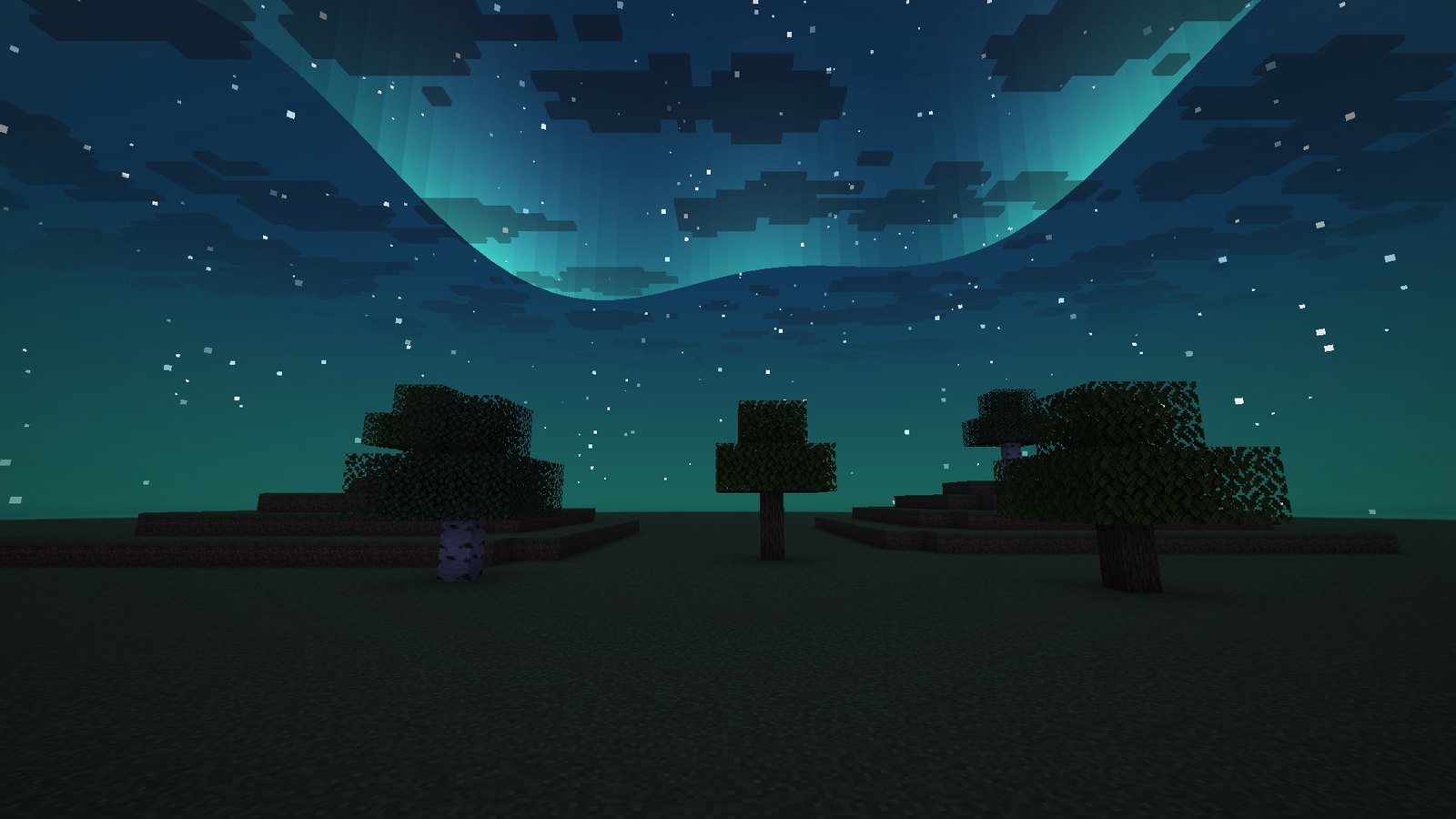 Cosmetics: aurora night sky
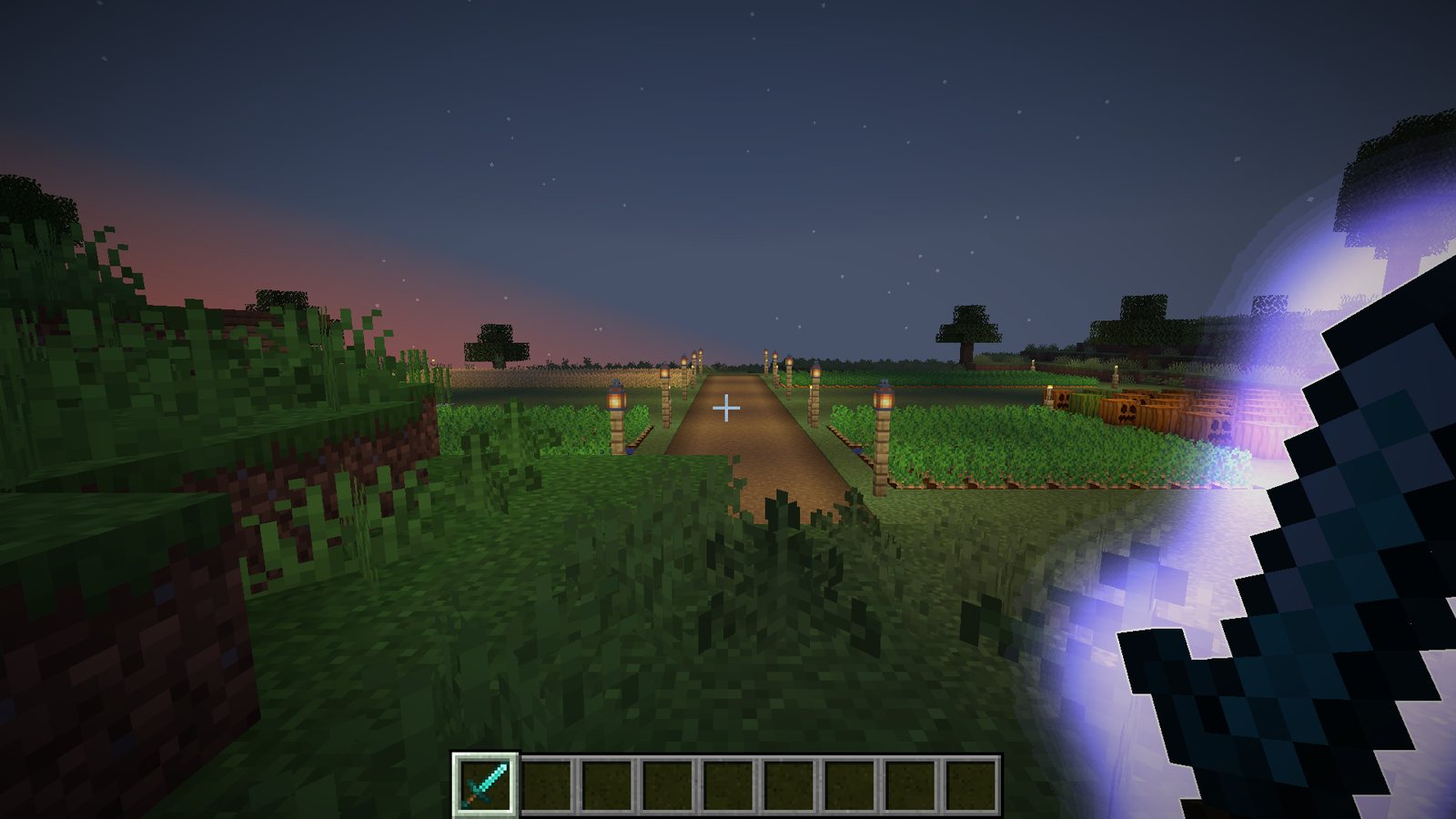 Cosmetics: Hand Aura
Every picture is from the free client you get here. No account, no key.
Download Vantage 1.0.18All modules
Press Right Shift in game. Click a module here to read how it works in the guide.
Marks mob spawners that a player has already been near.
Amethyst FinderHighlights fully grown amethyst clusters and points to the nearest one.
Anchor FinderHighlights groups of respawn anchors, with tracer lines and an arrow.
Base FinderScores every chunk for signs of a base and is the one key (F8) for the whole hunt.
Base Finder 2Spots natural structures players have used: geodes, portals, temples, spawners, cave torches.
Debris FinderHighlights ancient debris, points to the nearest block, and outlines likely debris areas.
Deep LeaksFinds hidden rooms and players through sounds and changes inside 'solid' rock.
Entity ScanCounts all entities around you and flags the ones players leave behind.
Hidden PlayersSpots signs of players the server doesn't show you.
Light ScanFinds hidden light sources from light the blocks can't explain.
New ChunksColours chunks red if brand new, green if loaded before
Owed GrowthRed tile for a gap in untouched land that something kept running
Palette ScanBoxes 16x16x16 areas where anti-xray hid a valuable block
Player NotifierChat alert when a player comes into or leaves your view range
Seed CrackerCollects structure positions so a separate search program can work out the world seed.
Seed OresShows where coal and emerald ore generate, worked out from the world seed.
Simulation RingYellow chunk column where someone else keeps the game running
Sky FingerprintGold column where deep rock was dug into or built in
Sound DetectorFinds farms, storage and hidden players by listening to the sounds the server sends you.
Stash FinderPings chunks full of chests and shulkers that look like hidden loot
Trail FinderFinds lines of old chunks through new land: someone's travel path
Vanish WatchLists players who are online but hidden from the tab list
WaypointsSaved points with beams and distance labels, per server
Outlines the blocks you pick through walls, with a colour per block and groups for bases and veins.
Entity ESPSee players, mobs and items through walls.
ESP StyleSets how every outline, box and label in the world looks.
FreecamFly the camera around while your player stands still.
FullbrightMakes everything bright, no torches needed.
Hand ViewChanges your arm swing speed and held item size.
Hole ESPShows safe holes for crystal PvP.
Item ESPHighlights dropped items with their name and /sell value.
Logout SpotsMarks where players logged out near you.
Module ListShows the names of the modules that are on.
No RenderRemoves screen clutter like fire, rain, fog and hurt shake.
RadarSmall round map of nearby players, mobs and waypoints.
SearchOutlines chosen blocks anywhere in the loaded world.
Storage ESPBoxes chests, shulkers and other storage through walls.
Target HUDInfo card about the player or mob you are fighting.
TrajectoriesShows where your arrow, pearl or potion will fly and land.
XrayHides normal blocks so ores and storage show through the ground.
Move, resize and tilt your first-person hands.
AtmosphereA prettier Overworld sky with an aurora, more stars and shooting stars.
Block OutlineA clean coloured box on the block you are looking at.
Colour GradingRicher, warmer colours and darker screen corners.
CrosshairYour own crosshair: a cross, a dot, or both.
Custom FOVOne fixed, wider field of view that sprinting cannot change.
Custom GlintEnchanted items shimmer in your colour.
Hand AuraA soft coloured glow around your hands and held item.
Hit ColourHurt mobs flash your colour instead of red.
Hit ParticlesA burst of particles where your hit lands.
Jump CirclesA ring spreads on the ground where you jump.
Low Health WarningRed pulsing screen edges when your health is low.
Motion BlurFast turns and moves smear the picture, like a real camera.
OrbsGlowing orbs float around you with trails and sparks.
Swing AnimationChoose how your arm swings when you hit or mine.
Time ChangerAlways day or always night, only on your screen.
Totem SpiritA ghost rises from anyone who pops a totem.
ZoomHold C to see far away, like a spyglass.
Boxes and info cards on groups of chests, hoppers and machines.
ClickGUIThe Vantage menu, opened with Right Shift.
Donut WheelHold G for a round menu of Donut commands and module switches.
Farm FPS OptimizerHides farm clutter so big farms don't tank your FPS.
FriendsYour friend list: friends wear a star and never get flagged.
HUDCoordinates, facing, FPS and the Vantage bar on screen.
MacroSends one command again and again with a random wait in between.
Profit TrackerCounts the money you earn from selling and shows money per hour.
Region MapMap of Donut's 9x9 server grid showing your cell and region.
RelogLeave and rejoin the server in one press, and reconnect after kicks.
RTP LoopKeeps doing /rtp until you land near a spot you picked.
Shard WatchLists the players who are on the same piece of Donut's map as you.
Void RescueFalling into the void: sends /rtp, or leaves before you die.
Install
Run the Fabric installer for Minecraft Java 1.21.11, then get Fabric API from Modrinth. Needs Java 21. On another Minecraft version? Pick it next to the download button, then get Fabric and Fabric API for that same version.
Download Vantage here and put the jar into your mods folder. On Windows: %appdata%\.minecraft\mods, next to Fabric API.
Start the game with the Fabric profile. The first start shows the terms: Confirm to use Vantage (it then keeps itself up to date; you can switch that off in Settings), Reject to start without it. Right Shift opens the menu, F8 starts Base Finder. You can change the key under Keybinds; on a build older than 1.0.8 it is the 2 key.
Vantage does not show up in the game? Check these three things. Still stuck? Ask in the Discord. Crash or bug? Post it on the feedback board.
vantage-1.0.18.jar · 2.75 MB (2,749,275 bytes) · SHA-256:
b6a19f384890613bfc8e82ff2df250eeaa64c62b50294dd7d3babd1211319a01
Windows: certutil -hashfile vantage-1.0.18.jar SHA256
Linux: sha256sum vantage-1.0.18.jar
macOS: shasum -a 256 vantage-1.0.18.jar
If the line it prints matches the one above, the file is the real one.
FAQ
Yes. No payment, no account, no licence key, and it runs on as many PCs as you want.
You can be. DonutSMP doesn't allow clients like this, and any server can ban you for using one. It does happen: a test account of ours was banned for good. Macro, RTP Loop and Void Rescue send commands on their own, and Donut Wheel sends the one you pick. Those are the riskiest, because servers punish automation harder than visuals. Use it at your own risk.
It checks GitHub for updates and tells a presence service you are online with Vantage, so users can see each other. Both can be switched off, and your Minecraft login never leaves your PC. The full list is on the Is it safe? page.
Nowhere. Only this site and the GitHub releases. Re-uploads and "cracked" copies are how accounts get stolen.
Minecraft Java 1.21.11 with Fabric Loader and Fabric API. Java 21. That is the main build and the one that gets every update first. There are builds for some other versions too: pick your version next to the download button and read the note under it. Some of them are on an older Vantage version.
The score is a hint, not a promise. It adds up signs that players were there: storage, dug tunnels, grown crops, beacons. An old mined-out base or a spot someone already raided still has those signs. Go and look, and trust places where several signs come together more than one big number.
Vantage only sees what the server sends your game, and a server only sends the area around you. It cannot look further than that. You find more by moving: travel, let it scan as you go, and check the ranked list.
With the official Minecraft Launcher it is inside the game folder. Windows: %appdata%\.minecraft\mods
(paste that into the Explorer address bar). macOS: ~/Library/Application Support/minecraft/mods.
Linux: ~/.minecraft/mods. If there is no mods folder yet, make one yourself; the name must be
exactly mods.
Check three things. In the Minecraft Launcher, pick the Fabric profile the Fabric installer made (it is called
something like fabric-loader-1.21.11), not plain 1.21.11. Both files must be in the mods
folder: the Vantage jar and Fabric API. And the Vantage jar must be the one for your Minecraft version. Then start the
game and press Right Shift.
Yes, with and without Sodium.
From version 1.0.7 Vantage updates itself. When the game starts it checks GitHub and installs a newer release, but only when its checksum matches; the old jar is kept, and a build that does not reach the title screen is rolled back. On Windows the new version is used from the next start of the game. If the game closes for an update and does not come back on its own, just start it again. Nothing is fetched before you confirm the terms. Two switches in the menu under Settings control it: "Check for updates" and "Auto update". Switch Auto update off and it stays off. If you are on 1.0.5 or 1.0.6 with Auto update off, you get 1.0.7 through "Check for updates" or by downloading it here.
The file is new and not downloaded by many people yet, and it is a .jar, so browsers and antivirus tools warn by default. Every release is public on GitHub, and you can compare your file's checksum with the one on the Is it safe? page.
0 downloads · 0 online now